 Patchment
For commercial HVAC, plumbing and electrical service offices
Your dispatcher decides. Patchment does the chasing.
Patchment answers the calls and texts your office can't get to, proposes the next step, and carries it out once dispatch says yes, so the customer and the tech are working from the same plan.
- Every call and text answered, day or night
- Nothing goes out until dispatch approves it
- Works beside the software you already run
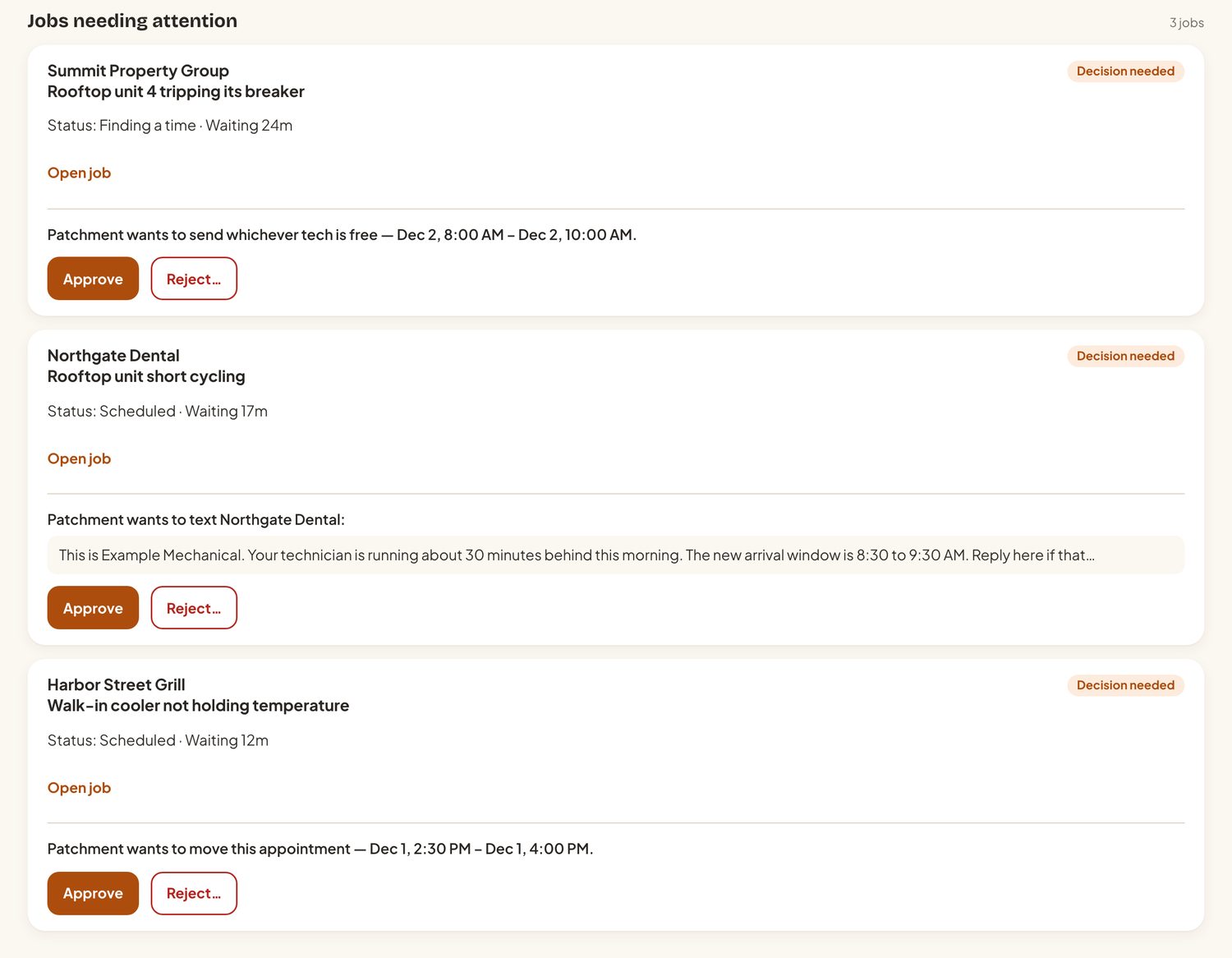
- Patchment proposesA call comes in, a tech runs late, an appointment has to move. Patchment works out the next step and writes it down.
- Dispatch decidesThe step waits in one queue in plain words. Approve it, change it or reject it.
- Patchment carries it outThe text goes to the customer, the job goes to the tech, and the record shows who did what.
What it takes off your office.
Screens are the Patchment console with an example business. The requests list and the sites list are for offices that let Patchment keep the schedule; if your schedule lives in other software, those stay there. Housecall Pro shops get tech updates in the Housecall Pro app.
It works beside the software you already run.
You don't switch anything to use Patchment. It takes the phone and text work around your schedule, and your office keeps the system it knows.
Want to hear it first? Listen to a real call on the homepage.
- Connected today: Jobber and Housecall Pro. Jobs are booked into them, inside your rules.
- On ServiceTitan or anything else, we check first. We look at what your system lets an outside tool read and update, and tell you plainly what Patchment can and can't do there before you commit to anything.
- Answering doesn't wait on a connection. Calls and texts are answered and written up either way, and your office decides where each job goes.
- Set up with you, around your office. We go through your hours, your accounts and what needs a yes from dispatch, and set Patchment up to match. Everything starts on "Ask me first".
Questions, answered
Do we have to switch from the software we use now?
No. Patchment takes the phone and text work around your schedule, and your office keeps the system it knows.
Does it connect to ServiceTitan?
Not today. Patchment connects to Jobber and Housecall Pro. If you run ServiceTitan or something else, we look at what your system lets an outside tool read and update, and tell you what Patchment can and can't do there before you commit to anything.
Does it replace my dispatcher or office staff?
No. It catches what they can't get to, like after-hours calls, the third line ringing at once and day-of texts, and hands them a clean queue instead of a pile of voicemails.
What does dispatch have to approve?
You choose for each kind of action: texting a customer, texting a tech, opening a request, scheduling a job and sending a tech. Each one is either "Ask me first" or "Automatic", and every one starts on "Ask me first".
Can it follow different rules for different accounts?
Yes. House rules are written in plain language, for example that nothing goes on the schedule for one account without the property manager's OK. Patchment follows them on calls and texts.
Will it quote a price or agree to a rate?
Only the flat prices you've entered, stated exactly. Any other price or rate question is captured in detail and sent to your team to confirm, and the AI never makes up a number.
What happens with an emergency after hours?
Patchment captures the situation fast, marks the request urgent, and follows your rules: page the on-call tech, or hold it for your approval with the details already written down. Safety issues go to a person immediately.
How is it priced?
$2.50 per call and $0.02 per text, on a 6- or 12-month agreement. Calls under 30 seconds aren't billed.
Ready to hear it answer your phone?
Book a 20-minute demo. We'll set up a live number and let you call it yourself.
- Twenty minutes with a person, not a wizard.
- A working number the same day you say yes.
- Start with everything on "ask me first".